For your guests
Simple as a tap.
No app to download, no account to make. They open a beautiful invitation, reply in a couple of taps, and get on with their day.
We run the whole party
Design it, send it, track it, celebrate it — InviteBird carries every occasion from the first invite to the last photo.
replies land live!
Chapter 1 · Design
Conjure a beautiful invitation in seconds and make it unmistakably yours — original artwork, an editor anyone can use, and not one ad in sight.
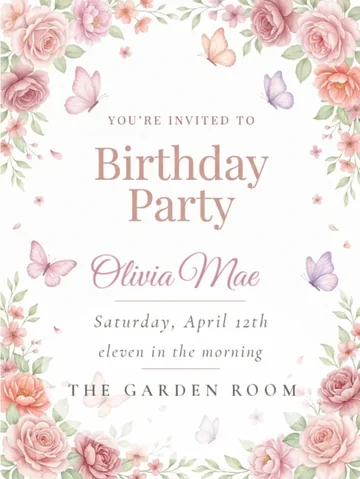



Guests don't just get a link — they get a moment. A cinematic envelope animation opens onto a full, dedicated invitation page built just for your event.
Tell us a little about your event and InviteBird Magic conjures a whole matching suite — card, liner, thank-you and background — in seconds. Yours to tweak freely.
InviteBird Magic runs through the whole party — it conjures your matching invitation suite, drafts the toast you have to give, writes and records an original song, and pens the thank-you notes after. One helper, always yours to edit.
Drag, drop and restyle every detail — fonts, colors, art and layout — with an editor anyone can use. No design skills required.
Every InviteBird design is original — crafted in-house and conjured by InviteBird Magic — so your invitation never looks like anyone else's.
Your invitation is the only thing your guests see — no banners, no pop-ups, nothing 'sponsored'. Just your event, beautifully presented.
Chapter 2 · Send & lock
Get it into every inbox the way they'll actually see it — on your schedule, onto their calendar, and locked to the people you invited.
Deliver by email, by text (US & Canada), or a single shareable link — the moment you're ready or scheduled for later — then let automatic reminders chase anyone who hasn't replied, on the same channel they were reached.
Pick the day and the minute your invitation goes out — checkout settles right away, and delivery waits for the moment you chose. Change your mind any time before it sends.
Guests sync your event to their own calendar in a tap — Apple, Google or Outlook — so the date is locked in the moment they RSVP.
Turn any printed sign into an entry point — share the invitation, gather photos to the album, or point guests to their seat, all with a quick scan.
Lock the invitation behind a password so only the people you invite can open it. Share one code with your list, and only guests with the code can open it.
Chapter 3 · RSVPs & guests
Track every reply and run the whole list from one place — the part of party planning that actually eats your week.
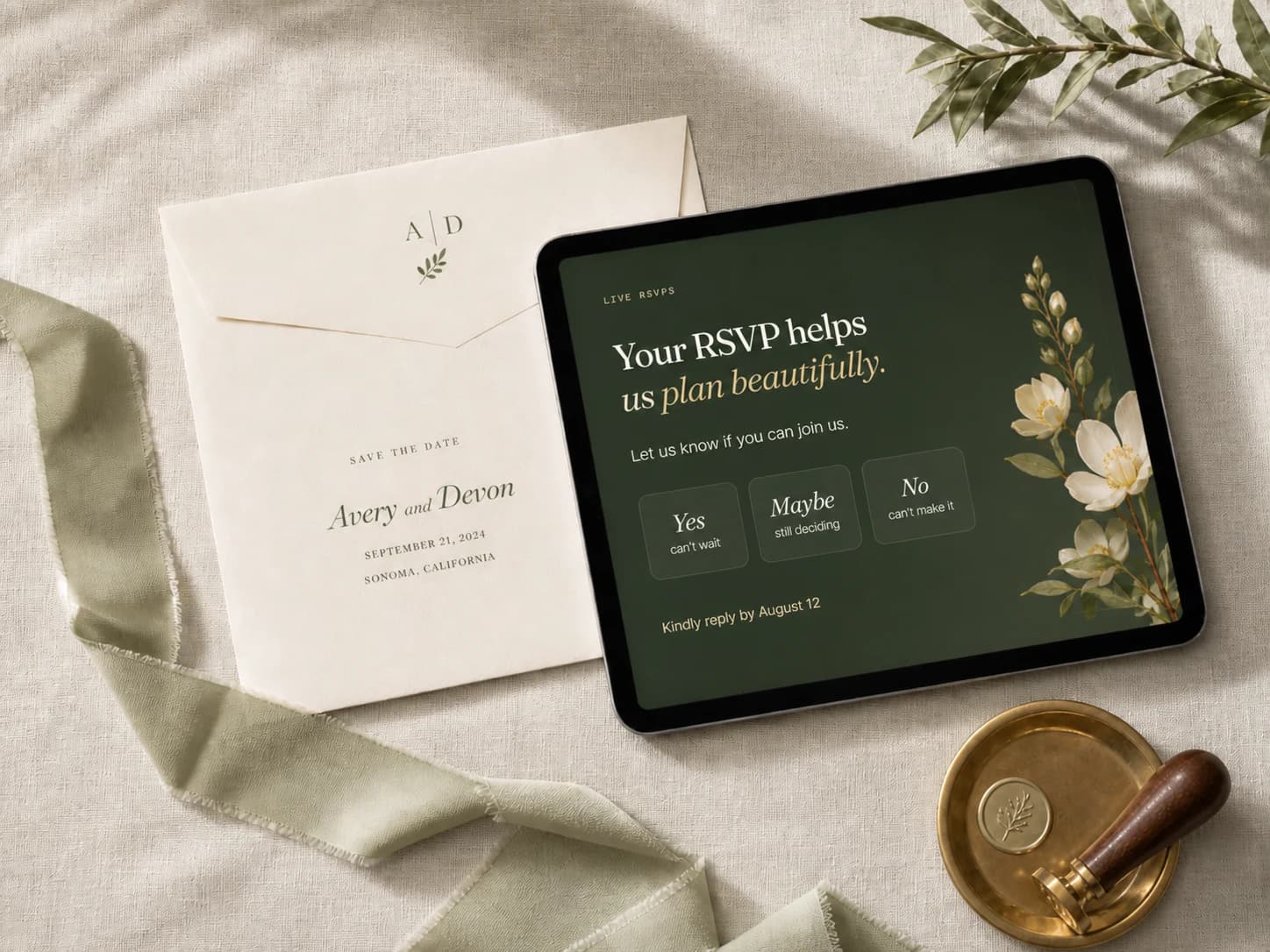
Watch RSVPs land in real time — yes, no and maybe — with live headcounts, plus-one totals and meal picks rolling up automatically. A Real-time analytics funnel shows delivery, opens and replies live, so you always know where your list stands.
A live funnel follows every invitation — delivered, opened, replied, attending, checked in — and each number opens into the actual names behind it, with a reminder one tap away for anyone still quiet.
Upload a spreadsheet or pull from your saved contacts — everyone you've invited before, ready to invite again in a couple of taps. No retyping, no fuss.
Tag guests — family, work, the college crew — then filter, message or manage each group on its own. Built for big, complex guest lists.
Guests add each plus-one by name as they RSVP — so your list fills itself in and your place cards practically write themselves.
Set a hard headcount and InviteBird closes RSVPs automatically once you're full — then collects a real waitlist, so the guests who missed out are ready the moment a spot opens.
The RSVP does far more than yes-or-no — collect meal picks, song requests, poll votes and a personal note, whatever you need to plan the perfect day.
Download polished PDFs for the whole event — your guest list, the seating chart, the song list and your matching print bundle — ready for the caterer, the venue, or the fridge.
The RSVP does the work
Every RSVP that lands does more than count heads — it answers the questions you asked, chases the guests who’ve gone quiet, and charts the whole run to the door.
Yes, no and maybe land live — headcounts, plus-ones and meal picks all tally themselves.
Add your own RSVP questions and read every answer, gathered in one place.
Automatic reminders chase the guests who've gone quiet — by email, or by text in the US & Canada.
A live funnel from delivered and opened to replied and checked in, each number opening into names.
Chapter 4 · Plan together
Message everyone, share the load with your co-hosts, and run the budget, the checklist, the seating and the menu from one place.
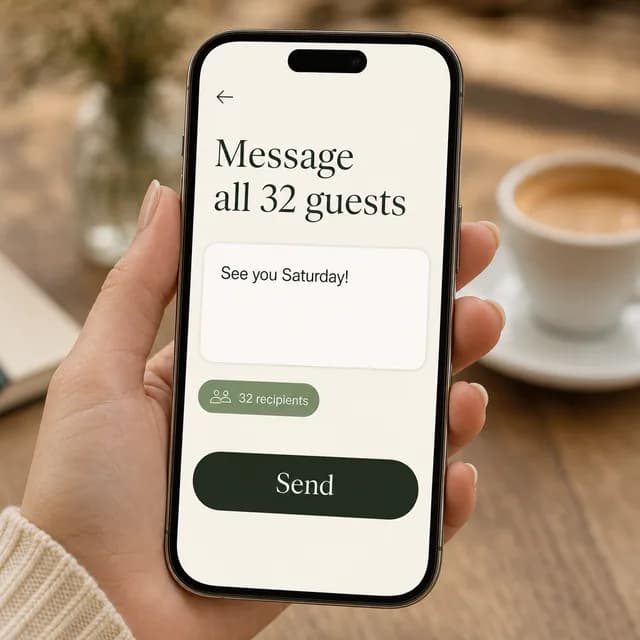
More than a broadcast — open a private thread with any guest or update your whole list, and they write straight back from the invitation with no account. Phone-only guests get a text with a link into the same thread (US & Canada). Co-hosts share the inbox, and InviteBird support is one tap away.
Invite up to five co-hosts to manage the guest list, send updates and reply to messages right alongside you — no extra accounts required.
A checklist that counts down to your date, from the first booking to the morning after. Start from a ready-made plan for your occasion, hand any task to a co-host, and let linked tasks tick themselves off as you set each part up. Add phases, due dates, owners and notes as your plans take shape.
Set a budget and log expenses by category — planned against actual updates live, with the cost per person coming worked out from your RSVPs. Track vendors, deposits and due dates, and turn on email reminders before payments are due.
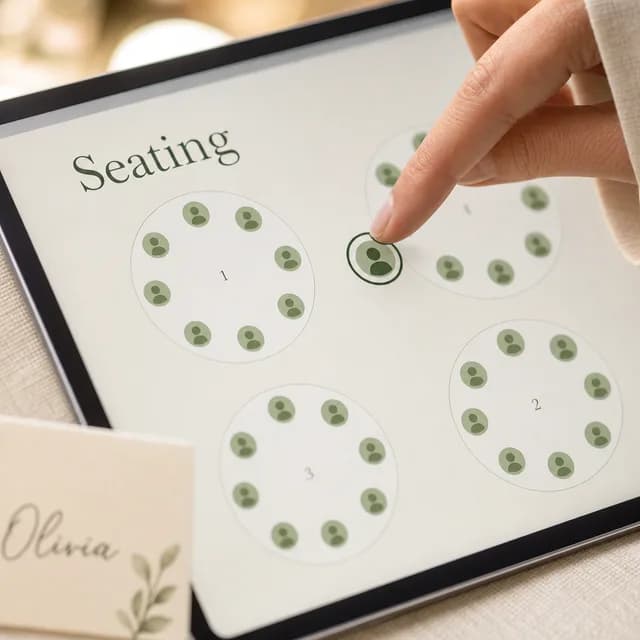
Lay your tables out visually and assign every guest. They find their own seat by name through the same shareable link.
MealMix on the RSVP collects every dinner pick, dietary tag and kids' meal — so your kitchen knows exactly what to plate.
List what the party needs and let guests claim items as they RSVP — a side, a dessert, a bag of ice. Nobody shows up with the third potato salad.
Create heartfelt speeches, toasts, welcomes and thank-you remarks — for the best man, the maid of honor, a birthday tribute or a few words to open the night. Answer a couple of questions and a polished first draft settles onto the page, ready to edit, rehearse and take to the mic.
Chapter 5 · Games
Showers, birthdays, graduations and retirements each get their own games and keepsakes — built into the invitation, played on phones, settled on the big screen.
A first birthday gets predictions for the grown-ups, little kids get Guess the jar and This or that, a shower gets Gift bingo and a quiz about the parents or the couple. Guests play as they reply, and the big screen settles it on the day.
The guest of honor answers on a private link — a parent does it for little ones. Guests pick from the answers as they reply, and the big screen reveals what they really said, one question at a time.
Guests say how they know the guest of honor and get a question that fits — a mentor and a neighbor get different ones. They can type it or record it, and every answer lands in one keepsake.
Guests write letters or predictions as they reply. They stay sealed until the day you set — a first anniversary, an 18th birthday, ten years after graduation — and then we email the capsule to you to pass on.
Cards arrive filled in for a baby or bridal shower. Tap each gift as it's opened and it marks every guest's card at once; the big screen calls the bingo.
Chapter 6 · The party
Music, games, a voice note, a door that runs itself — the modules that turn your invitation into a free event website, all built right in.




 +
+Spin up an original song for your event from a few details — the names, the occasion, the mood. It plays right on the invitation to set the tone.
Guests suggest songs when they RSVP. Review and reorder, then turn the curated list into a private Spotify playlist in one click — or download it as a PDF.
Write your questions once, then choose how the room plays them — quietly as each guest RSVPs, scored for you, or live on the big screen with everyone racing the same countdown. Or both.
Record a personal greeting in your own voice and guests press play right on the invitation. The warmth of a phone call, with none of the phone tag.
Prop up any tablet or laptop and it becomes your check-in desk — guests check themselves in by name or a personal door pass, and walk-ins are added on the spot. Build the screen weeks ahead, then run the whole night from one tab: arrivals, your run of show, notes to the room. Even a wifi drop doesn't stop the door.
Each guest's RSVP confirmation carries a personal QR door pass — scan it on any phone at the door and their whole party is checked in at once. Surprise arrivals join in seconds.
Reveal the trivia answers, crown the guest who guessed best, or draw the raffle — and the big screen and every guest's phone light up together, landing on the same winner. One tap from you, no app for them.
Your own Venmo, PayPal, Cash App and Zelle plus up to four registries, one tap from every RSVP — every gift goes straight to you. Add a gentle gift hint, or give an InviteBird gift card. All optional, and never in the way of a yes.
A matching thank-you card goes out after the day, guests revisit a warm post-event page, and every photo lands in one shared album.
Two sides, one invitation
The guest side stays effortless. The host side runs as deep as your event needs — and the two never get in each other’s way.
For your guests
No app to download, no account to make. They open a beautiful invitation, reply in a couple of taps, and get on with their day.
that’s all it takes!
For you
Behind that one tap: live tracking, two-way messaging, your own questions, seating, analytics and a check-in desk — the whole party, run from one place.
Ready when you are
Pick a design and have your invitation live in minutes.
Browse designs